Outcome
9/10
Outcome
90%
task completion
Client
Mealloop
Role
UX Designer
Timeline
3 weeks
Meal planning is a repeated task with no memory behind it. Users rebuild the same plans and grocery lists from scratch every week, not because their meals change, but because there's no system to hold what they already know.
Problem
Solution
The answer wasn't more discovery. It was capture and reuse. Users save meals once, build their week from that library, and get a grocery list generated automatically, turning two disconnected tasks into one continuous flow.

Key Insights from User Research
To understand where planning actually broke down, I conducted 8 interviews with people who meal plan regularly. The assumption going in was that users wanted more variety. What they actually described was exhaustion: not from choosing meals, but from having to choose them again every single week with nothing to show for it.
Meal planning lives entirely in memory
Users had no system to capture meals between weeks. Every plan started from zero, which meant the effort never compounded into anything useful. It made clear that the first design priority had to be storage, not discovery.
A consistent meal rotation already exists
Most participants cooked the same 8 to 12 meals on repeat. This reframed the entire product direction. Users didn't need more options. They needed a faster path back to the ones they already trusted.
Grocery shopping is disconnected from meals
Even when users knew what they were cooking, building the list was a separate manual task. That gap between planning and execution was where the process most often broke down.
The Look and Feel
Branding
I designed the Mealloop logo around simplicity, warmth, and clarity.I designed the Mealloop logo around simplicity, warmth, and clarity. Questrial gives the wordmark a familiar, trustworthy feel, while the soft orange (#FF6900) brings an inviting, food-centered energy. The minimal chef's hat icon reinforces the concept without overpowering the name. The full system, including color, type, and UI elements, is built to feel approachable and scale cleanly across mobile.
Style Tile
UI Kit
A complete component library built in Figma covering design foundations, UI components, and core user flows. Includes buttons, input fields, meal cards, navigation, tags, and grocery list items, each with labeled variants and developer specs.
Translating Insights into Design Direction
Affinity Mapping
With research complete, I needed a way to make sense of everything participants shared across user interviews. Affinity mapping groups raw observations into patterns, surfacing themes that aren't obvious when you're looking at individual responses. What it revealed here wasn't scattered problems but one consistent failure point: every part of the planning process depended on memory, and nothing carried forward from week to week. That single pattern became the foundation every design decision was built on.
No system for capturing and reusing meals
Reliance on mental meal rotation
Disconnected groecry planning
Decision fatigue during weekly planning
Automation with flexibility
User Personas
The research surfaced two distinct planning behaviors. Jordan plans deliberately at the start of each week and needs a system that supports consistency without adding steps. Mia decides closer to the moment and needs flexibility without losing the meals she already relies on. Building both personas made one design constraint impossible to ignore: any structure introduced had to feel invisible. If the system required too much upfront effort, it would work for Jordan and lose Mia entirely.
Persona Archetype 1: Jordan, the Routine-Based Planner
Persona Archetype 2: Mia, the Spontaneous Rotator
Key Flows Mapped
Before exploring solutions, I needed to understand the full footprint of the experience, every point where a user makes a decision and every place those decisions have to connect. Mapping the key flows revealed that the problem wasn't in any single action. It was in the handoffs. Saving a meal, planning the week, and generating a grocery list existed as completely separate tasks with nothing passing between them. That gap became the core design problem to solve.
User and Task Flows
Exploring Structure
Early explorations tested one core question: if a user saves a meal with its ingredients, can that single action power everything downstream? Sketching the connection between meal entry, weekly planning, and grocery generation made the answer clear, but also revealed the risk. If any step felt like a separate task, the whole system broke. The explorations kept pushing toward one goal: making selection and grocery creation feel like a single gesture, not a sequence of screens.
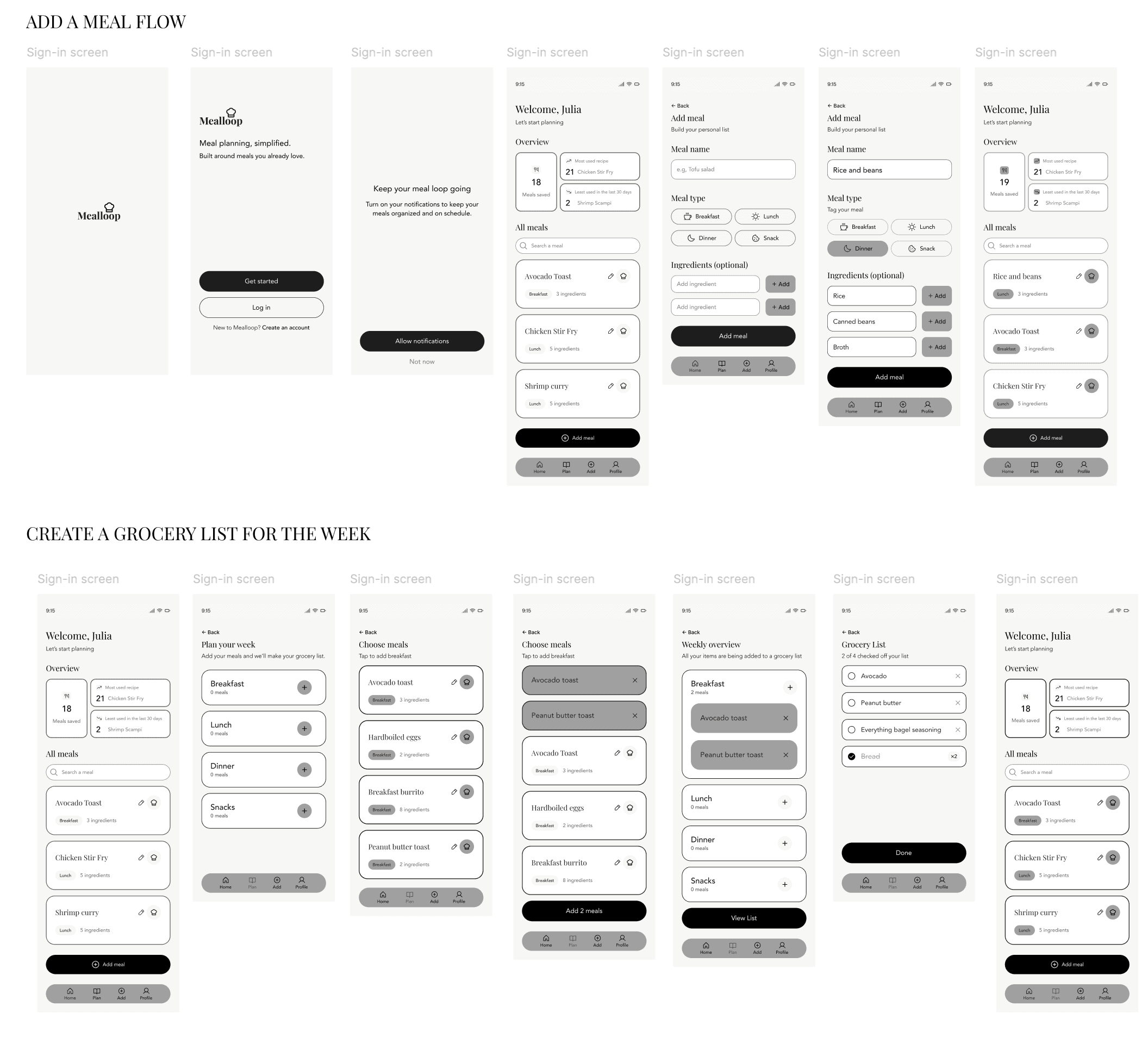
3 solutions that address the three core challenges
Each solution addresses one breakdown in the existing planning process. Together they form a single connected flow: save once, plan by selecting, execute automatically.
Turning memory into a reusable system
The research made one thing clear: users already knew what they cooked. What they lacked was any place to put it. Rather than building a discovery tool, the design priority became a personal meal library where users save meals once and return to them on their own terms. This shifted the entire product away from a recipe platform and toward a personal system built around what users already trust.
Competitive analysis insight
Most existing tools treat every planning session as a new search. None of them are built around the meals a user already relies on, which is where the real behavior lives.
Added feature after user testing
Users hesitated at meal entry when it asked for too much upfront. Simplifying the input to name and ingredients only, with the option to add details later, removed that hesitation and increased the number of meals users saved in a single session, making reusability feel effortless from the start.
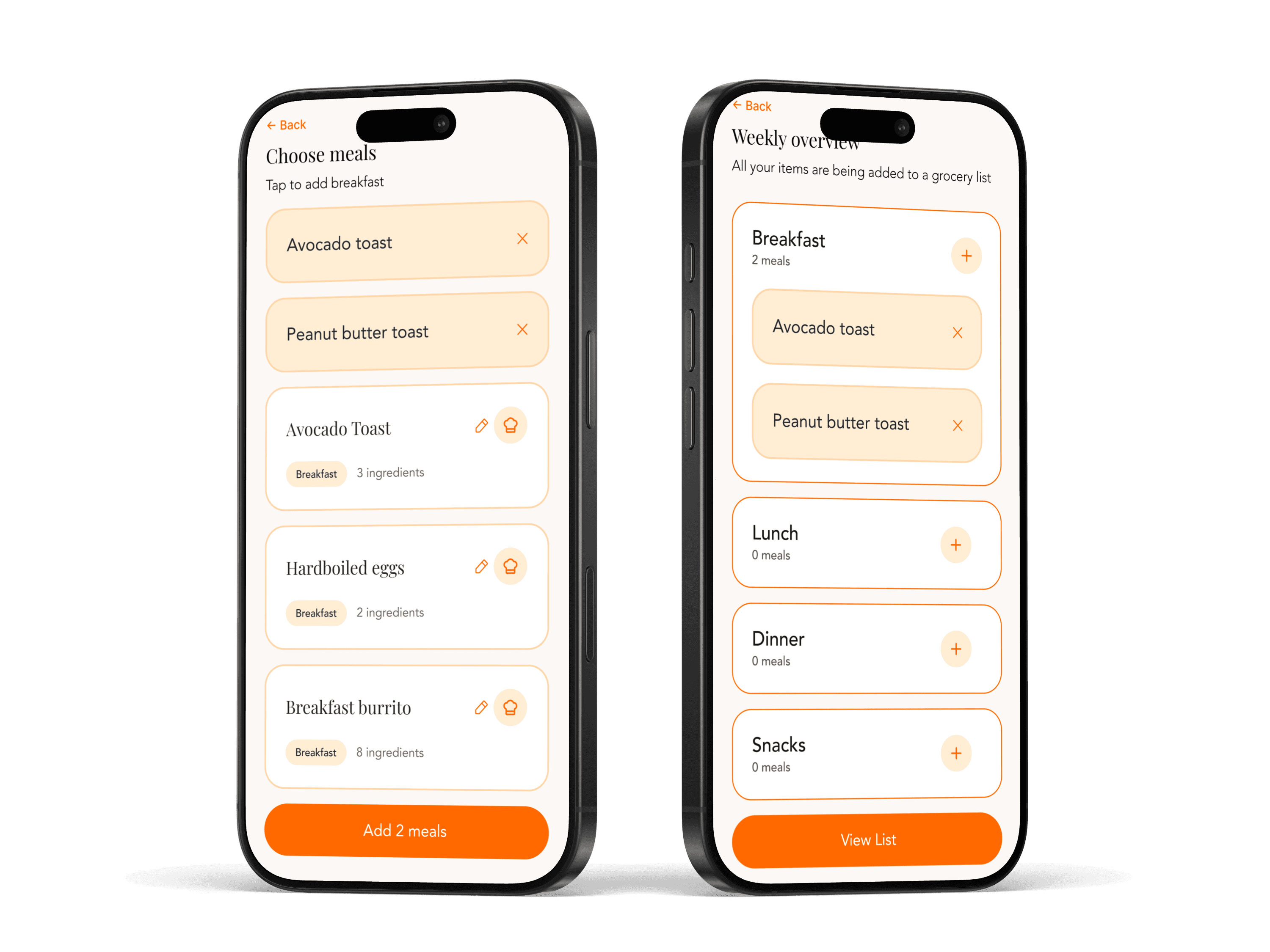
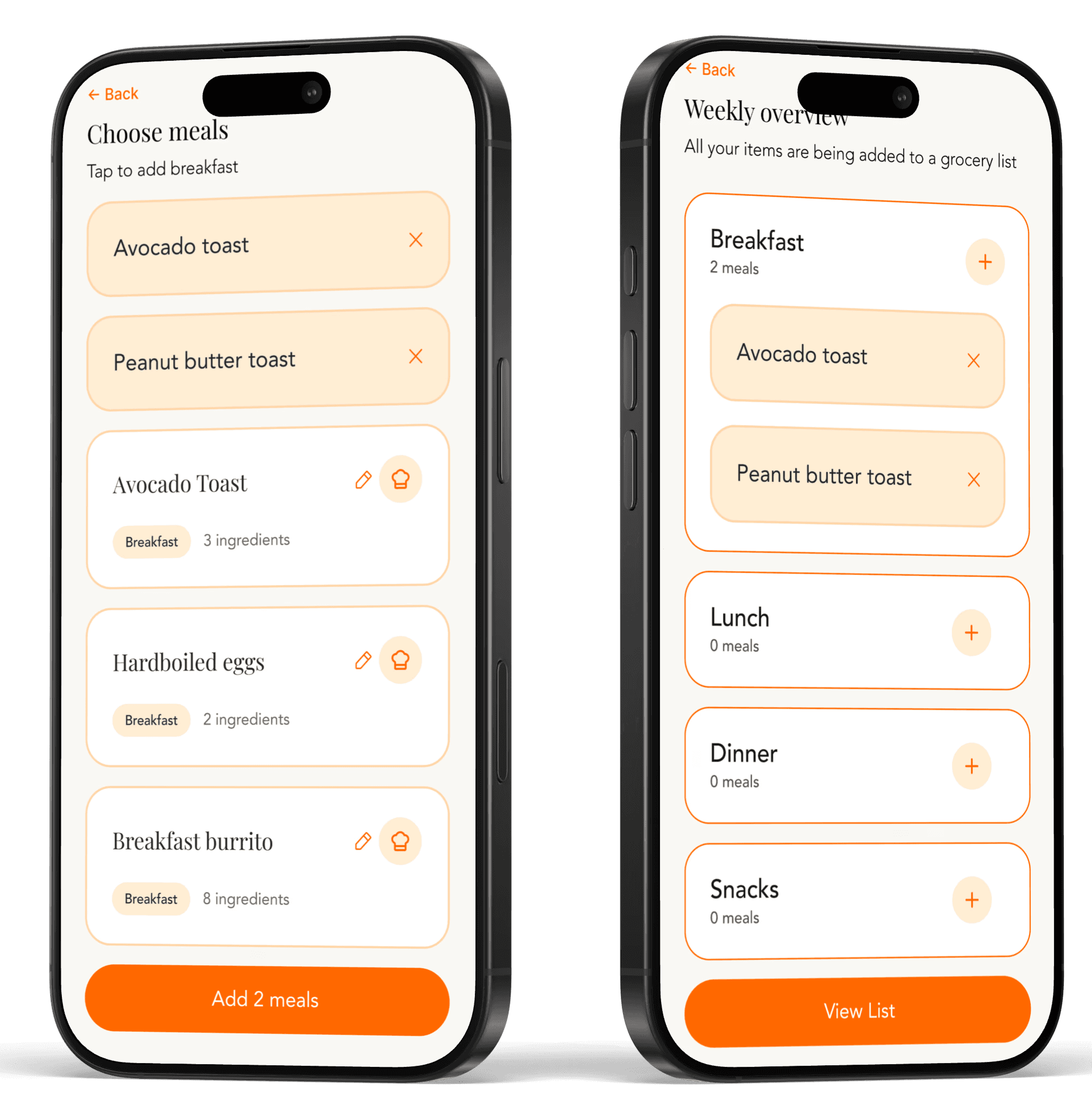
Making planning feel like selection, not decision-making
Once meals were saved, the weekly planning screen had one job: make choosing feel effortless. The design replaced open-ended decision making with a selection interface built from the user's own library. The cognitive load drops because users are no longer deciding what to cook. They are confirming what they already know works.
Competitive analysis insight
Competing tools front-load planning with structure and required fields, which creates friction at exactly the moment users need momentum. This design inverts that by letting the library do the heavy lifting.
Added feature after user testing
Users struggled to track which meals were assigned to which days. Refining the category labels and selection states made the weekly view scannable at a glance, and users moved through planning noticeably faster in the second round of testing, making the structured layout feel immediately familiar.

Connecting meals directly to grocery execution
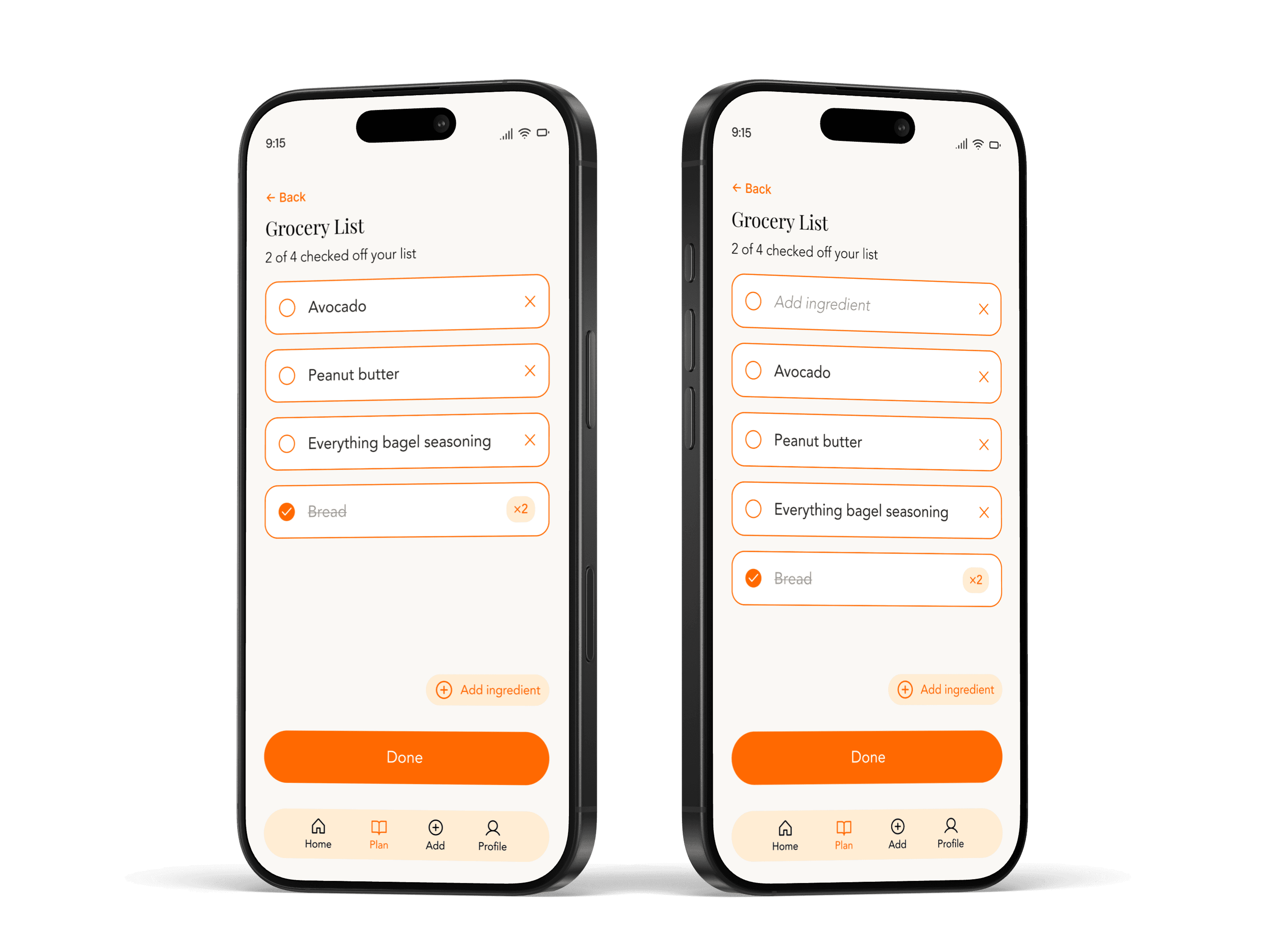
The last place the process broke down wasn't in planning. It was in the step after. Users would finish their week and then start a completely separate task: writing a grocery list by hand from memory. Automatically generating that list from selected meals closes the gap between deciding and doing. The plan becomes the list, with no translation required.
Competitive analysis insight
Grocery and planning tools exist in completely separate categories. Users are expected to manually bridge them, which is exactly where items get missed and the process loses reliability.
Added feature after user testing
Users understood the list was generated automatically but couldn't easily find editing controls when they needed to make changes. Making edits more visible and introducing a checklist style interaction gave users a sense of control without disrupting the automated flow, keeping the experience fast without sacrificing flexibility.
Explore the Prototype
See the full experience in action before diving into usability testing results.
Validating what works and revealing what to improve
Testing focused on whether users could move through all three core tasks without guidance and whether the system felt faster than what they were already doing. The bar wasn't perfection. It was whether a first-time user could experience the value of the system before they had a chance to second-guess it.
Add a meal
Plan weekly meals
Generate and review grocery list
Performance metrics
100% task completion - Participants successfully completed core flows, including adding meals and planning their week without assistance.
100% weekly adoption intent - All participants indicated they would use the product as part of their weekly routine.
Improved percieved efficency - Users consistently described the experience as faster than their current process of planning mentally or using notes.
Key Insights That Shaped the Next Iteration
Meal-to-list connection needed reinforcement - Some users did not immediately understand that ingredients entered during meal creation directly power the grocery list. I added supporting copy to clarify how ingredients are used, reinforcing the connection between meals and the generated list.
Grocery list editing needed to be more intuitive and visible - While users understood the list was generated, some struggled to find editing controls and expected a more flexible, checklist-style interaction.
Final Thoughts
This project taught me that the most valuable design decisions are often subtractive. Every time I considered adding a feature, the research pushed back. Users didn't need more. They needed less friction around what they already had. Building a system around existing behavior rather than trying to change it was the insight that made everything else work.